

1
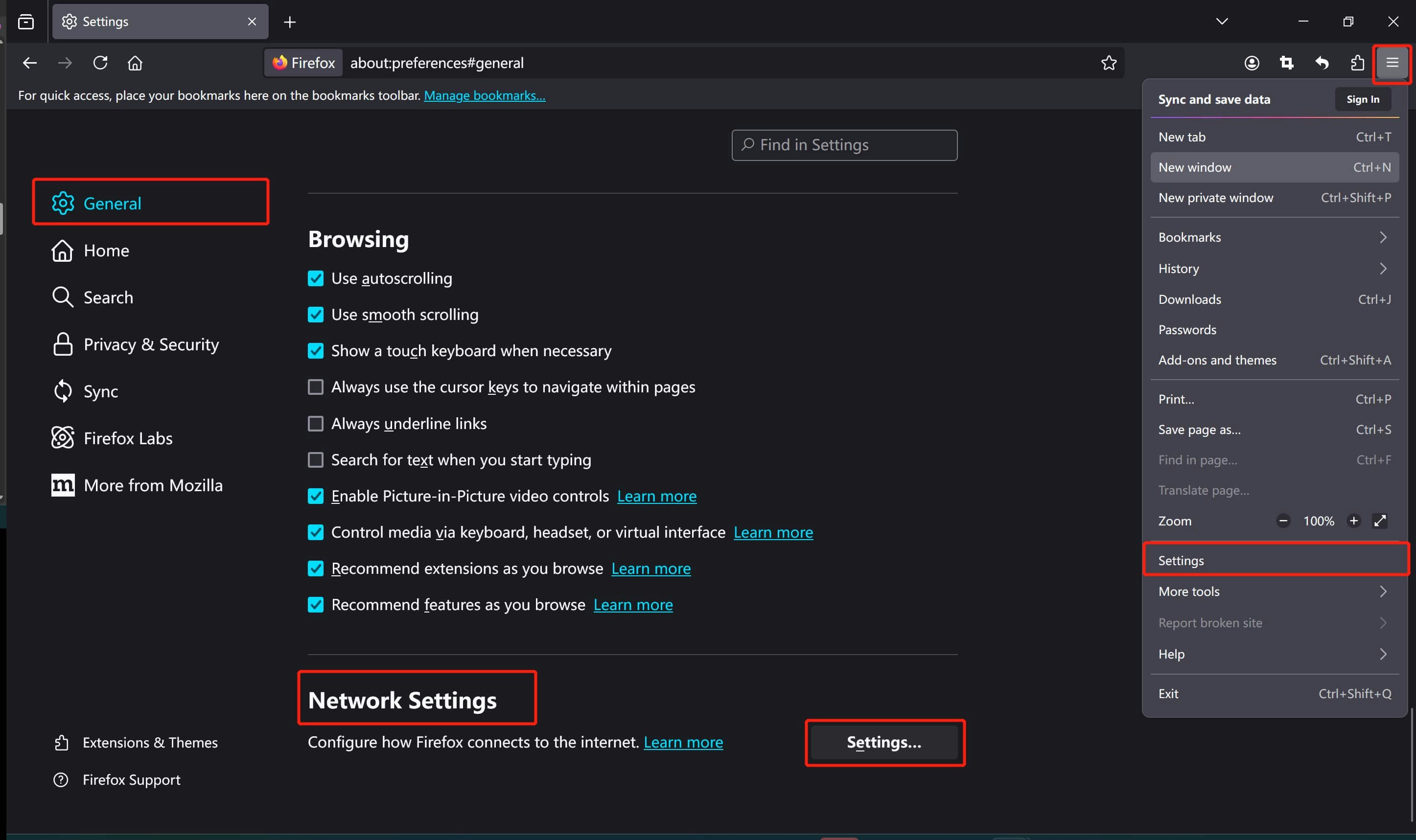
Find Network Settings
- Open the settings page of Firefox browser
- From the General page, scroll down to find the Network Settings
Find Network Settings
Find Network Settings
2
Configure Proxy Settings
You can select the Use system proxy settings and refer to our instructions about (setting up proxies on Windows)[/Integrations/OS/Windows].
Following shows the instructions for Manual proxy configuration
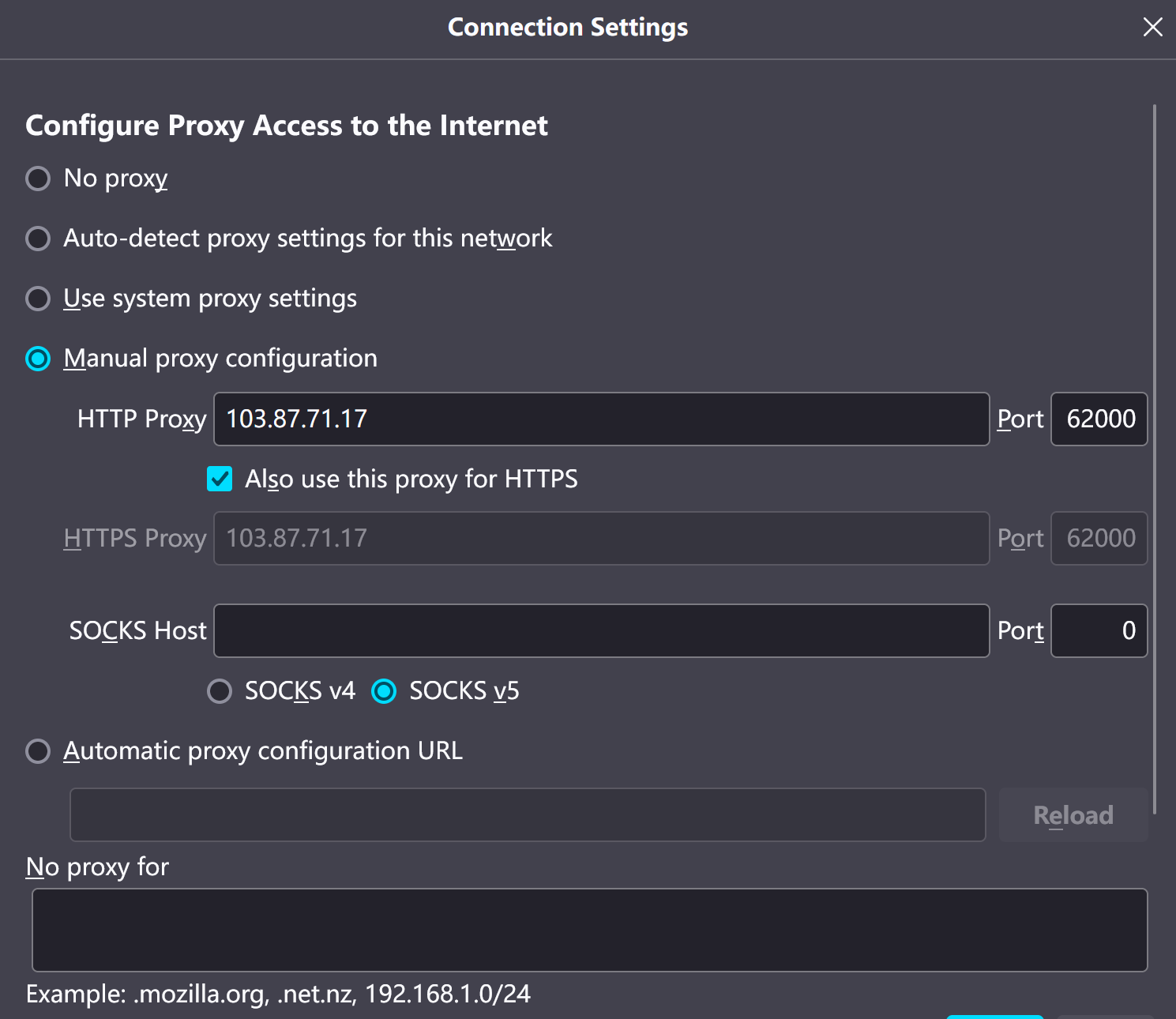
Configure Proxy Settings
Configure Proxy Settings
3
Authentication
If you are not using whitelist authentication, you will encounter an authentication pop-up requesting your username and password when attempting to browse a website with proxy settings.
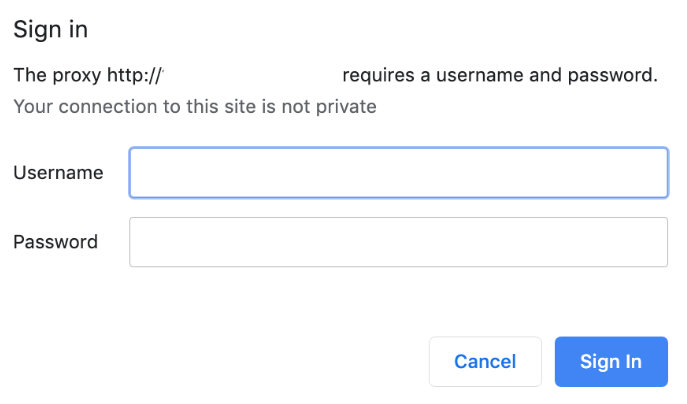
Authentication
Authentication
4
Work With Proxy